An employee task tracker that lives at the top of the screen.
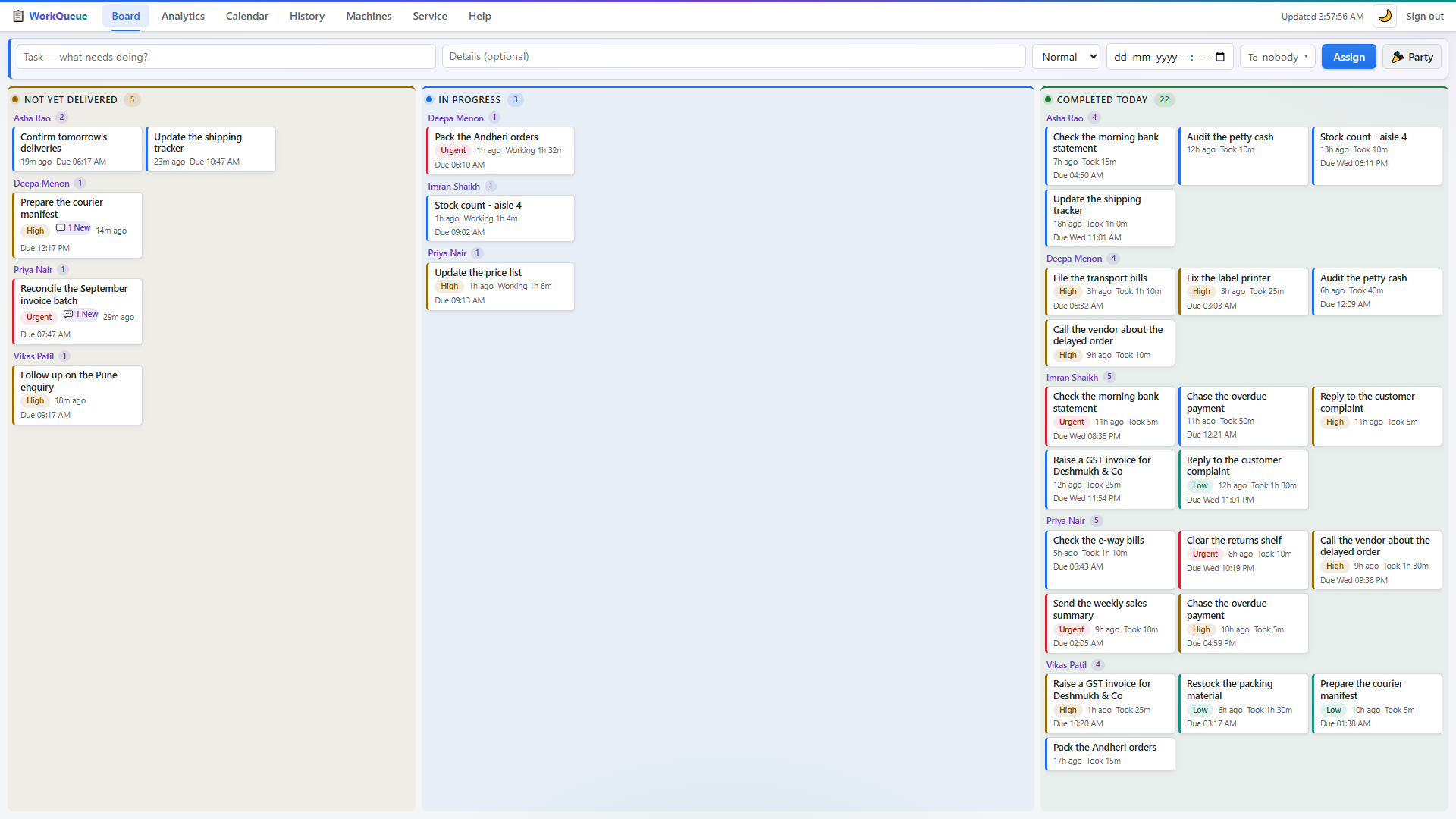
Most task trackers are a website somebody has to remember to open. WorkQueue is a strip docked into Windows — thirty-four pixels tall, always visible, never covering a window — that shows each person only the work that is theirs, and records when it arrived and when they finished without anybody starting a timer.


What a tracked employee actually sees.
That is the entire interface. There is no dashboard for them, no project view, no login screen and no inbox — their name, the job they are on now, and a chip for each other task waiting.
It is a Windows AppBar, the same kind of thing the taskbar is. Windows reserves the band at the top of the screen for it, so a maximised window cannot cover it and twelve open tabs cannot bury it. A new task appears there within a couple of seconds of being assigned.
When the job is done they press Complete once. That is the whole workflow, and it is the only thing anyone has to be trained on.
What it records, and what it will never record.
Recorded, for every task
- When it reached their screen. The moment the strip received it — not when somebody remembered to click Accept, because there is nothing to accept.
- When they pressed Complete. One click, from the strip or from the panel behind it.
- Who it went to, what it said, and what priority you gave it.
- Anything they typed back. The panel has a box for asking the manager a question about the job.
Never recorded, on any plan
- No screenshots. Not on a timer, not at random, not once.
- No keystrokes. Nothing is read from the keyboard.
- No idle or active time. The mouse is not being watched.
- No browsing history. Which sites and apps somebody uses is not our business, and not yours through us.
This is why teams accept it.
That second list is a deliberate line, not a gap in the feature set. A tracker that watches people gets worked around within a fortnight; one that timestamps jobs mostly gets left alone.
In practice the argument it ends is "I sent you that hours ago" — which stops being an argument when both people are looking at the same two timestamps.
Putting it on a team.
An afternoon, and nobody has to be an administrator.
Install the server
One file, on a PC that stays switched on — usually the manager's. It starts itself after that and tells you the dashboard address.
Install the strip
One file on each employee PC. It finds the server on your network by itself, so there is no address for anyone to type and nothing to configure.
Name the machines
Open the dashboard, put a person's name against each PC, and start handing out work. That name is what shows on their strip and in every report afterwards.
What it costs to track a team this way.
₹14,999, once, for your whole company. Not per employee and not per month. Hire five more people next year and the number does not move — there is no seat count anywhere in the software to move it.
Thirty days free first, every feature, no card. If you buy afterwards the data from the trial carries over. After the first year, updates and support are ₹4,999 a year and entirely optional; skip it and the version you have keeps running.
The full pricing, and the arithmetic against a per-seat tool
The things people ask about this
Is this employee monitoring? Will my team hate it?
It records two things per task: when it reached the screen and when the person pressed Complete. It does not take screenshots, log keystrokes, track idle time or watch which websites anyone visits, and it never will — that is a deliberate line, not an oversight. In practice teams tend to like it, because "I sent you that hours ago" stops being an argument. Everyone is looking at the same timestamps.
Do employees need a login or a password?
No. The strip belongs to the PC, and you give that PC a person's name in the dashboard. There is nothing for an employee to sign into, nothing to forget, and nothing to install after the first time.
What happens when the Wi-Fi goes down?
Employees keep seeing their tasks and keep marking them complete. Those actions queue up on their own PC with the real time they were clicked, and are delivered when the network comes back — so a task finished at 10:35 during an outage is still recorded as 10:35.
Can people use it from home, or from another branch?
Yes. WorkQueue can be joined to a private network (Tailscale) so laptops outside the office reach the same server securely, with nothing exposed to the public internet. It is one extra step during setup, and it is included.
How many employees can it track?
It is built and load-tested for a single office — around 25 machines at once on ordinary hardware, with responses well under a tenth of a second. If you are bigger than that, talk to us before you buy rather than after.
Does it work on Mac?
Not today. The dashboard is an ordinary web page and opens on anything, including a phone, but the employee strip needs Windows 10 or 11. Mac and Linux are on the roadmap rather than in the box, and we would rather say so plainly than let you find out.
Try it on your own team for thirty days.
Every feature, unlimited PCs, no card and nothing to cancel. We will help you install it, and if it does not fit, nothing of yours has left the office.